Native ngrok control for macOS
Manage ngrok from your Mac menu bar.
TunnelBar gives ngrok a native macOS control surface, so you can change ports, restart tunnels, inspect requests, and avoid manually editing config files or jumping through terminal commands.
Built for Apple Silicon Macs running macOS 13 or later.
Reads your existing ngrok config and preserves its address format.
Creates timestamped backups only when a config change is made.
Shows active forwarding URLs and local HTTP request details.
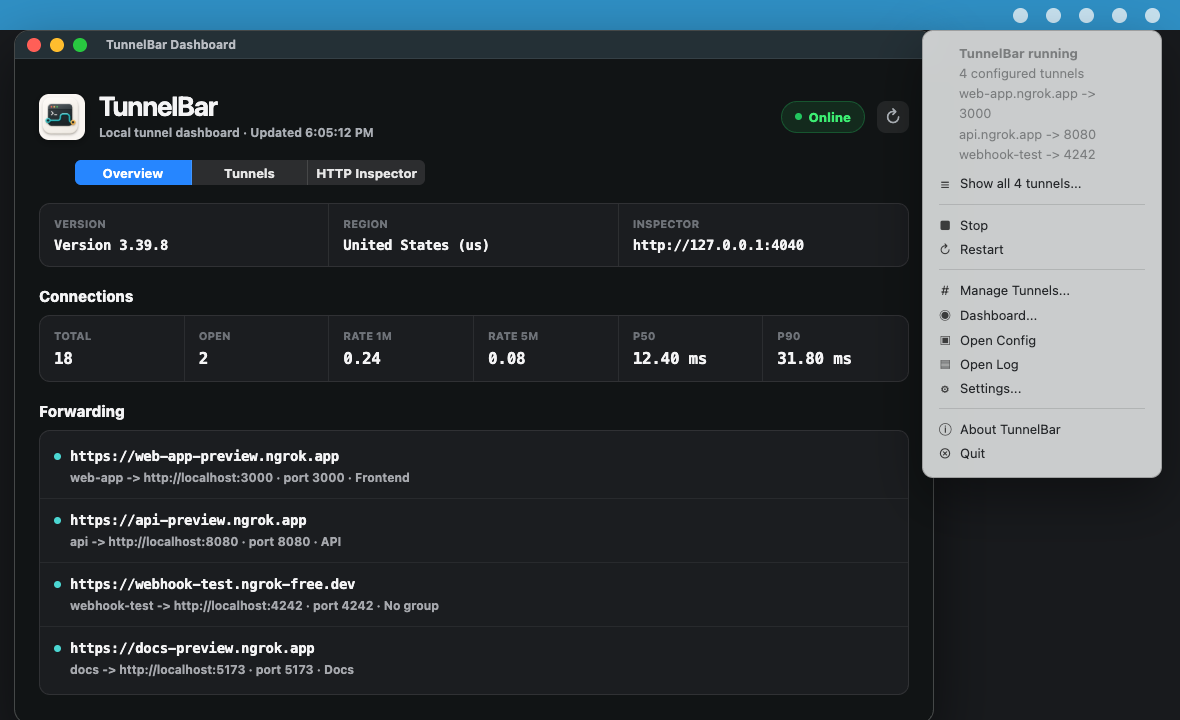
Built for everyday ngrok work.
TunnelBar keeps your ngrok workflow visible and controllable from macOS, replacing repetitive config edits and command-line restarts with native controls.
- Menu bar control
- Start, stop, restart, and open the dashboard from a native macOS status item.
- Safe port changes
- Change one tunnel or a saved group while preserving values like
3001andhttp://localhost:3001. - Config backups
- Create timestamped backups only when the config changes, then keep the newest two backups.
- Live dashboard
- See configured tunnels, active forwarding URLs, connection metrics, and recent HTTP requests.
- Saved groups
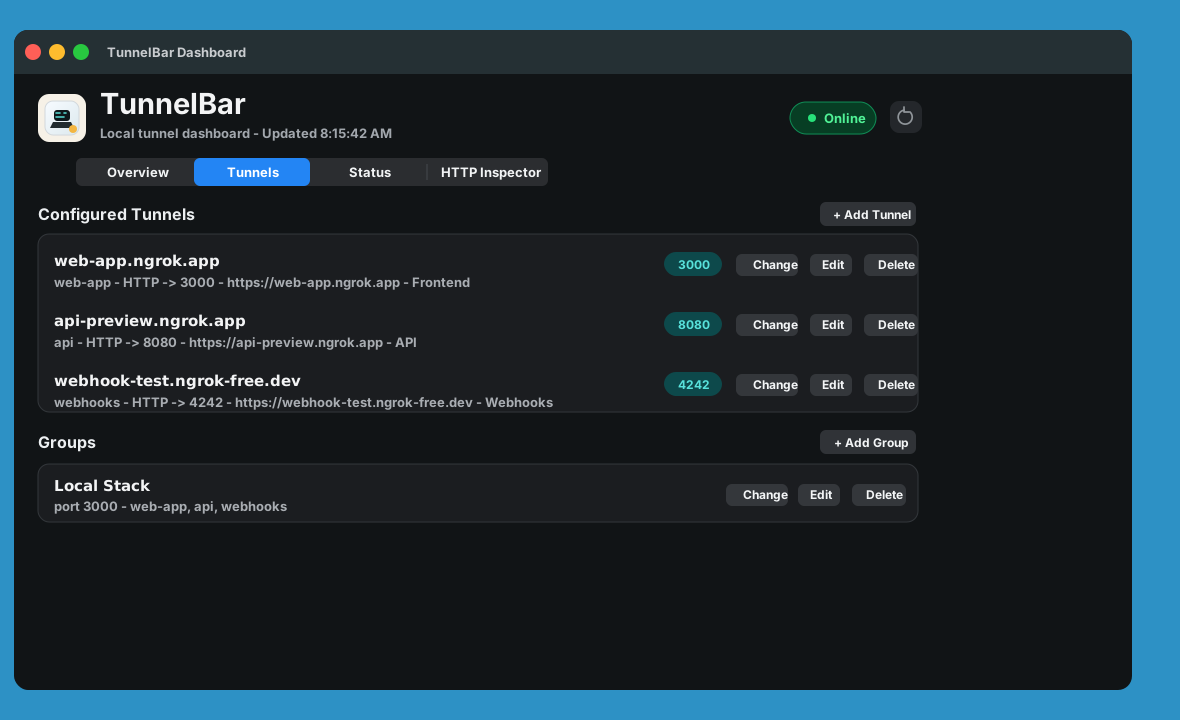
- Store tunnel groups and update several related ports together when a local stack moves.
- Local by design
- Read local files, local process state, and ngrok's local inspector API without sending tunnel details to us.
One place for the work you repeat.
Use TunnelBar when the app port changes, when a teammate needs the forwarding URL, or when a webhook needs a quick inspection pass.
- Choose your config
- Use the default ngrok path or select a different config in Settings.
- Inspect requests
- Search recent HTTP requests, inspect headers, and copy request details from the native dashboard.
- Start at login
- Keep your tunnel controls ready by adding TunnelBar to your macOS login items.
Ready for your macOS tunnel workflow.
TunnelBar is currently distributed for Apple Silicon Macs running macOS 13 or later. It is owned and published by Hosting Playground Inc.